
My True Balance: one place for your dealings with the office
Conversations with the office, documents and figures from the books in one platform, alongside modules for cash, work time, costs, settlements and forecast. We will show it to you on sample data. We implement the platform for a limited number of our accounting clients.
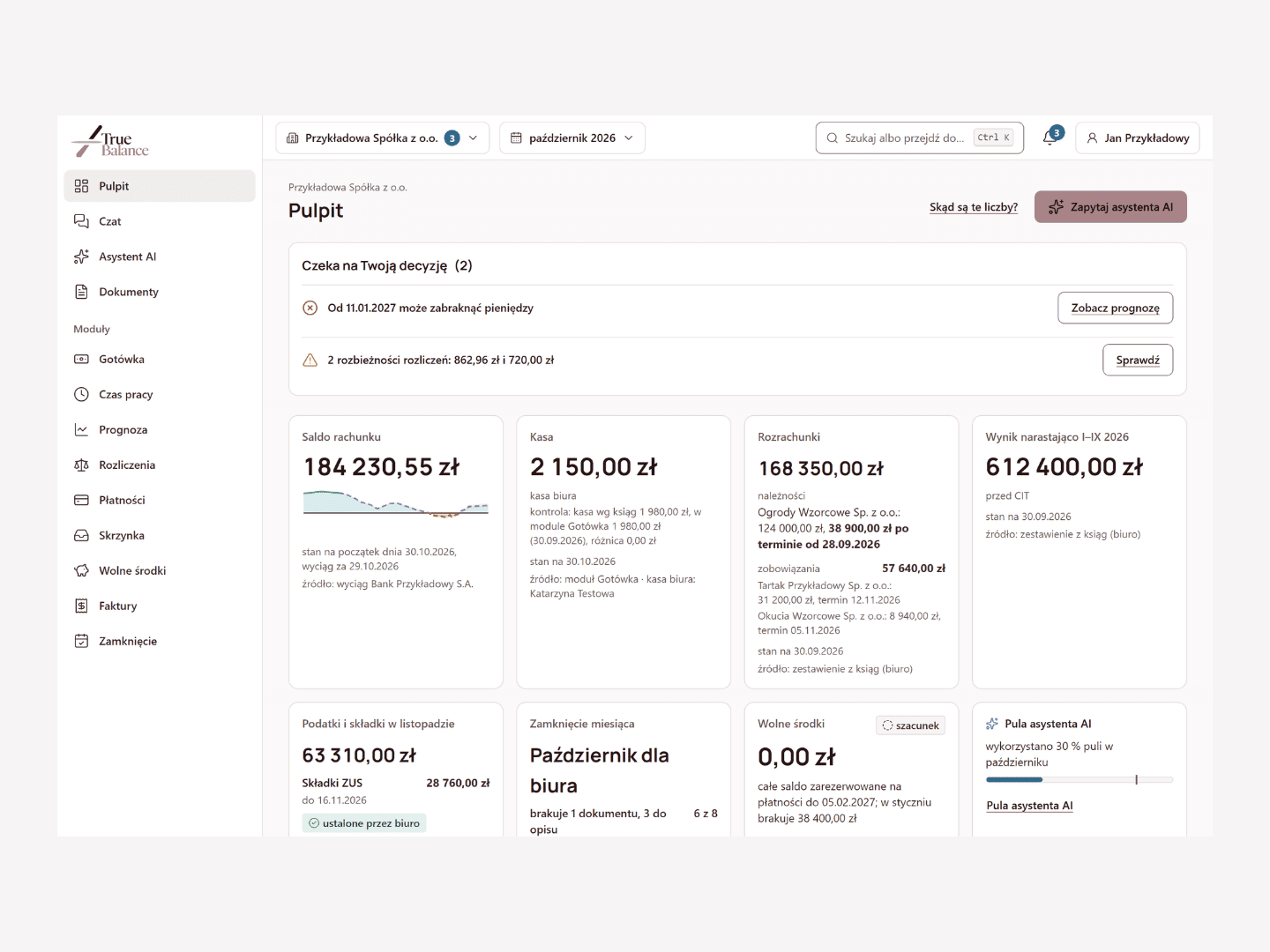
Conversations, documents and figures from the books together
My True Balance is a single point of contact with the office: threaded chat with a copy of conversations sent by e-mail, the month's documents, a dashboard with figures from the books, an AI assistant that answers from cited sources and review by a True Balance expert. The platform works in a browser and in a mobile app. The scope of connections is agreed during implementation.
Data is entered without retyping: with a photo of a receipt, a voice note or a single "+" on your phone, and invoices are approved on your phone. In a company covered by the implementation, we switch on only the modules it needs; below we present them in four groups. Each module strengthens one of the office's services, for example limited company accounting
The platform modules are part of True Balance accounting services. We implement the platform for a limited number of our accounting clients. We run the demo on sample data. Every screenshot on this page shows fictitious companies, people and amounts.
Sample data
Platform: contact with the office and documents
Three parts of the platform organize your everyday contact with the office: conversations and figures from the books, documents uploaded with one button, and the monthly handover of the complete set to the office.
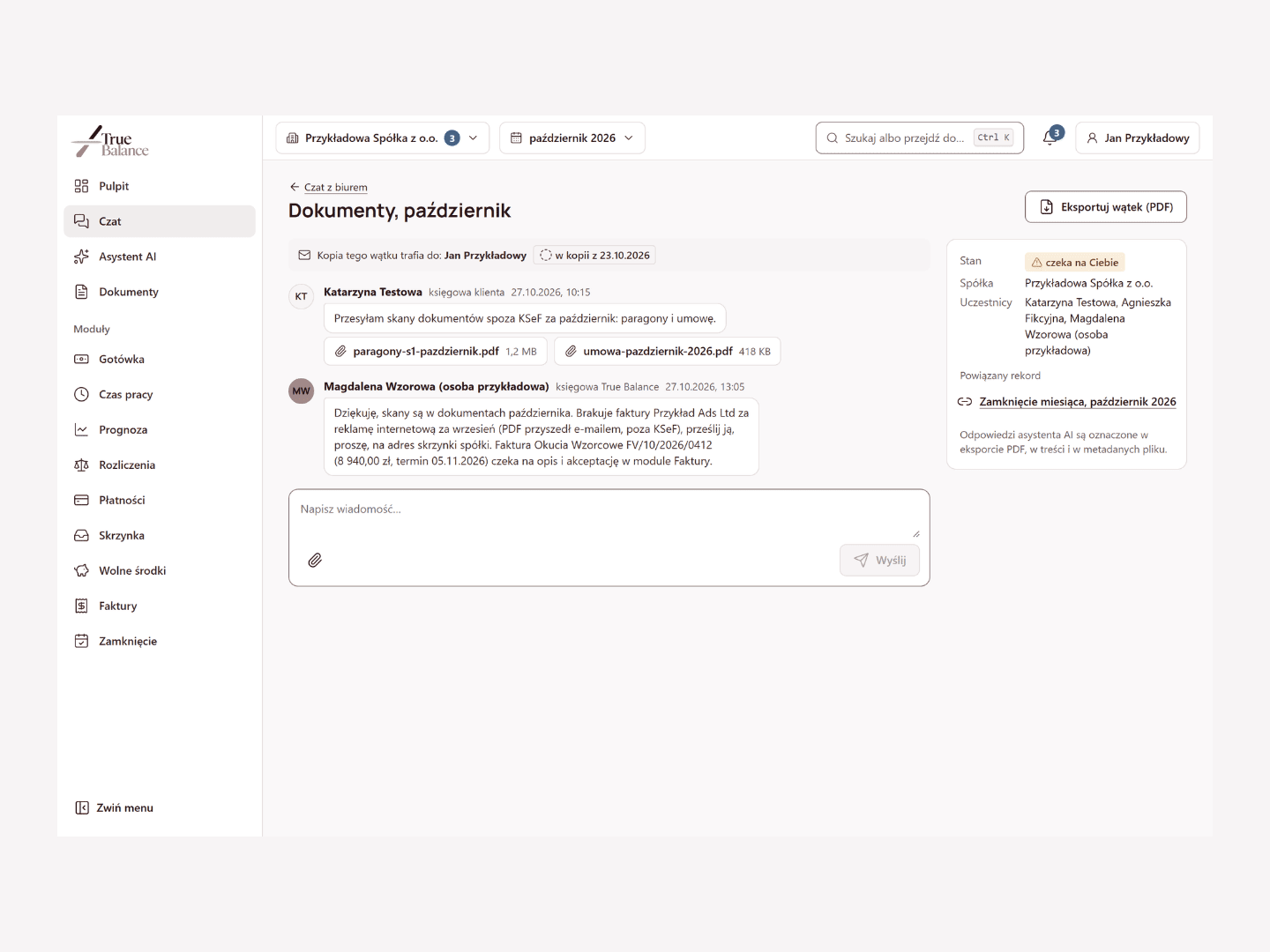
My True Balance: conversations, documents and figures from the books
You have all your matters with the office (conversations, documents, key figures and consultations) in one place, with the full history.
Routine questions are answered by the AI assistant, which cites its sources with every answer. Accounting questions can be reviewed by a True Balance expert; tax questions are handled, with your consent, by a tax partner we work with.
When we implement the platform, the service package includes a pool of questions to the AI assistant; once it is used, the chat with your accountants continues as usual. Expert reviews are billed according to the service package. The dashboard shows figures from the books with the date as of which they are current. The scope of connections is agreed during implementation.
We implement the platform for a limited number of our accounting clients.
Sample data
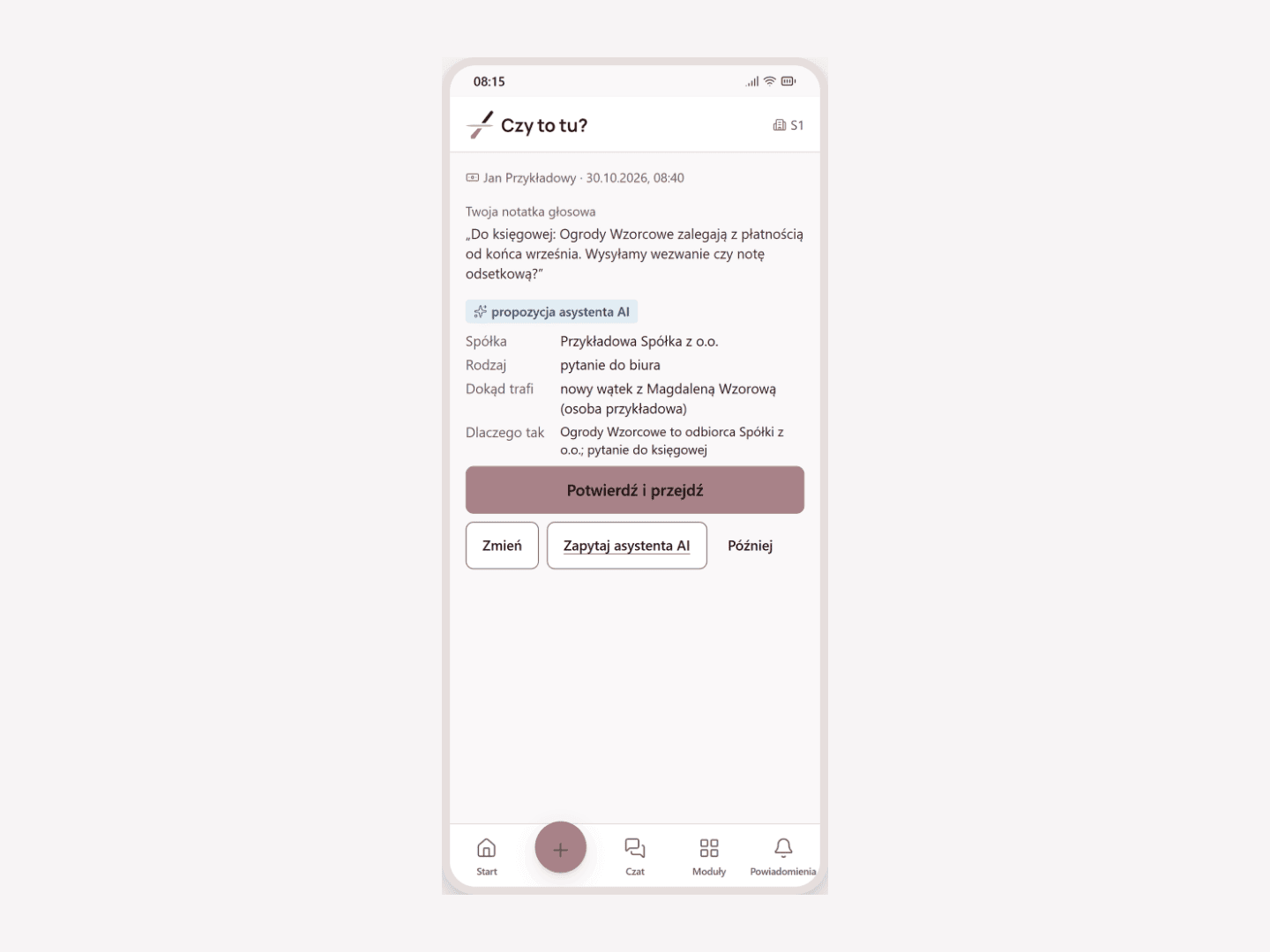
Inbox: documents to the office with one button or by e-mail
You do not need to remember where to send a receipt, an invoice from an e-mail or a letter: one button on your phone or the company's e-mail address is enough, and the app suggests where the document belongs and a person confirms it. Each company has its own address, and the app also suggests which company a document or question concerns.
The Inbox is part of the My True Balance platform; documents go to the modules switched on in the company, and the rest to the company's documents.
We implement this module for a limited number of our accounting clients.
Sample data
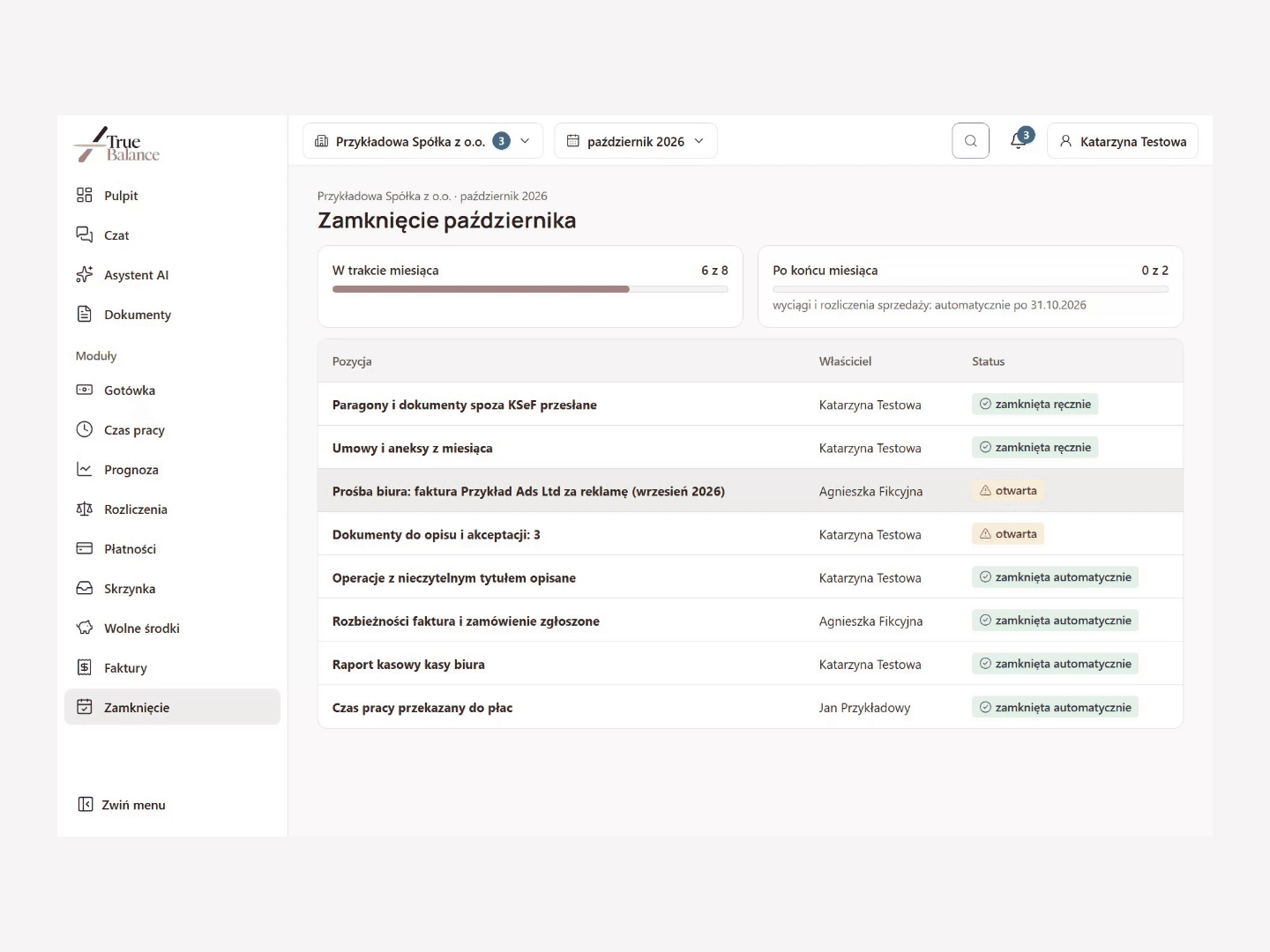
Month-End: the complete month for the office
Every month you know what the office already has and what is still missing, and reminders reach the right people before the deadline passes. When the list is complete, you hand the whole month over to the office at once.
The list collects the status of the modules switched on in the company; other items are closed manually.
We implement this module for a limited number of our accounting clients.
Sample data
Money in the account: today and in the coming months
Two modules show how much money will be in the account in the coming months and how much of today's balance can be spent.
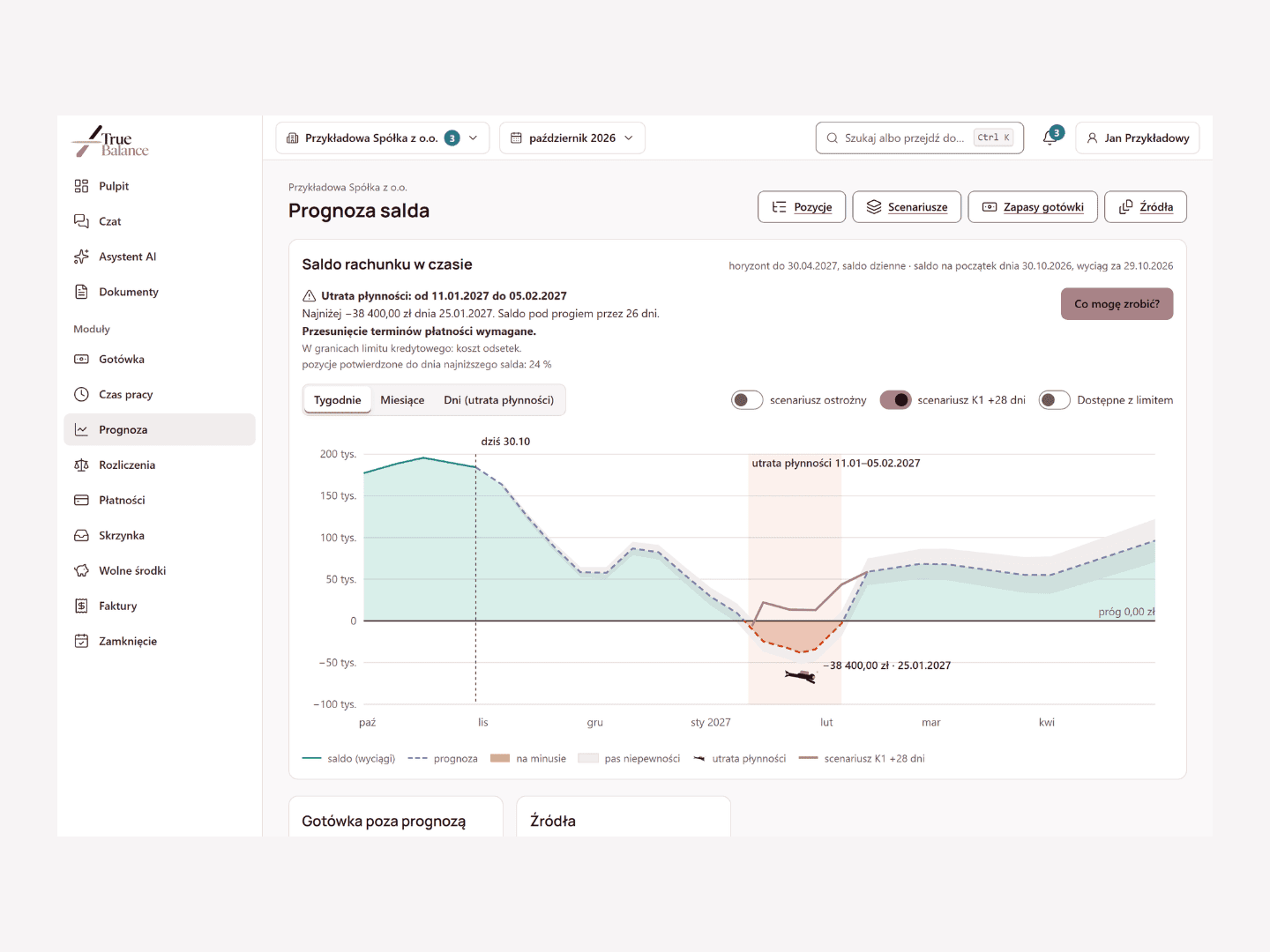
Forecast: account balance for the coming months
You see in advance when the account may run short of money, and what can be done before that happens. On the balance chart, the module marks this period and the lowest-balance day, and when payments need to be moved, it prepares a draft request to the counterparty, to discuss with your True Balance accountant. The scope of connections is agreed during implementation.
We implement this module for a limited number of our accounting clients.
Sample data
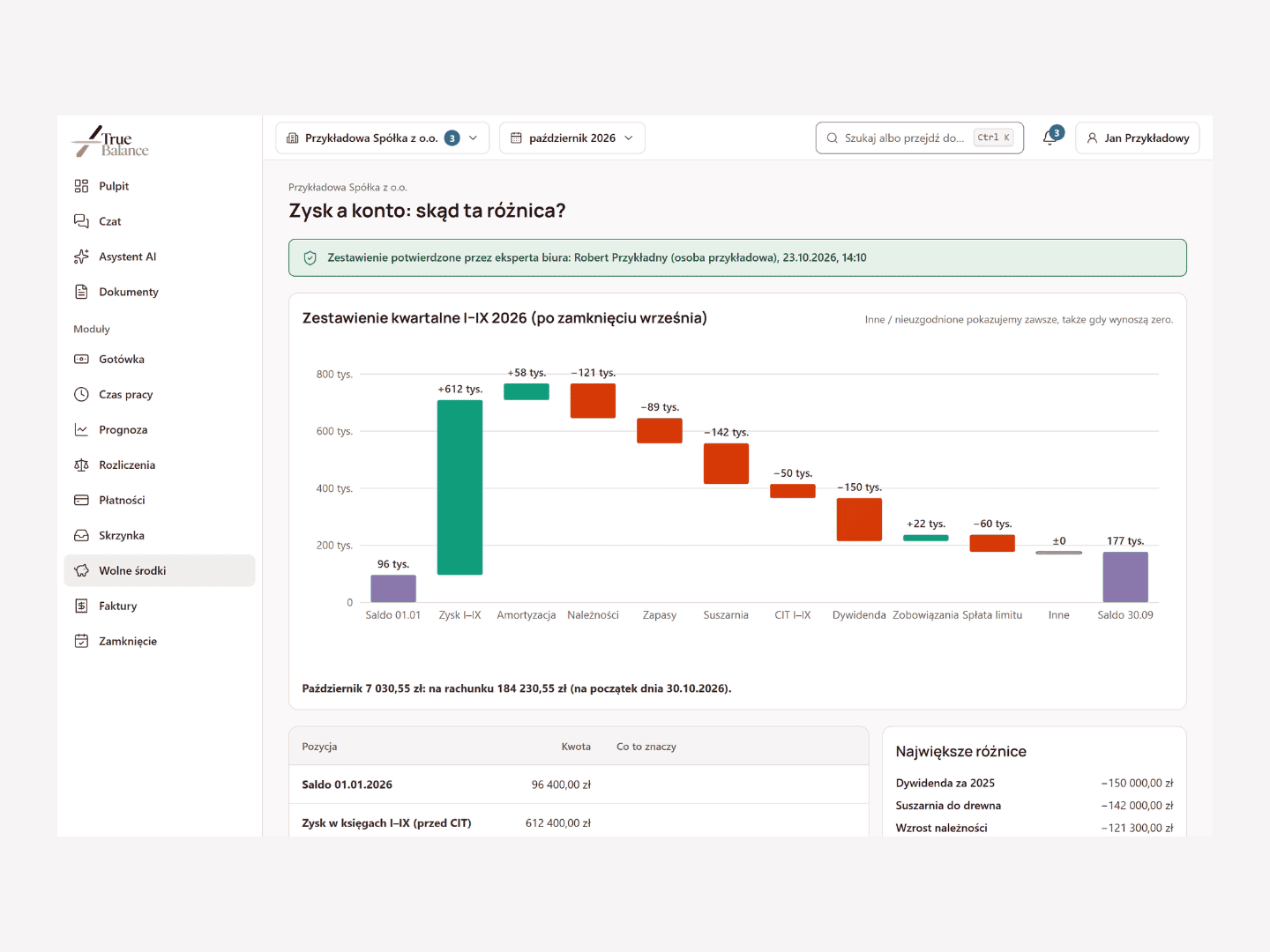
Free Cash: the amount the company can spend
You see a single amount: how much of the money in the account is not reserved for upcoming taxes, salaries, instalments and invoices, together with an explanation of why it is exactly that amount. The scope of connections is agreed during implementation.
Works together with the Forecast module.
We implement this module for a limited number of our accounting clients.
Sample data
Cash and Work Time
Two modules for companies with people in the field: cash settlement and work time that, once approved, goes to payroll.
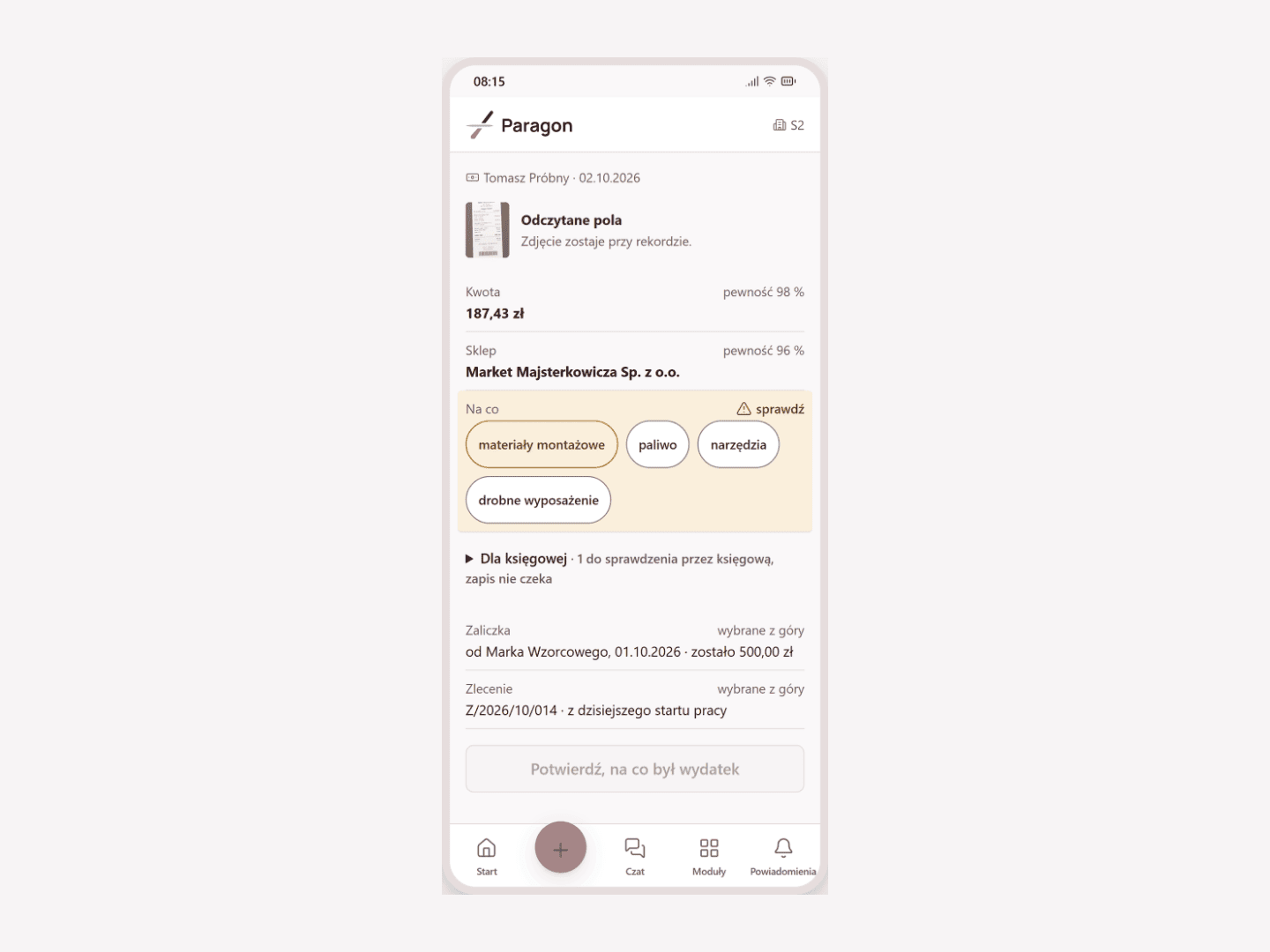
Cash: settling cash in the company
You know who in the company holds cash, to whom they handed it and what they spent it on, without retyping receipts and without hunting for them at the end of the month. An employee records an expense with a photo of a receipt or a voice note, and a hand-to-hand cash handover is confirmed by the recipient on their phone.
We implement this module for a limited number of our accounting clients.
Sample data
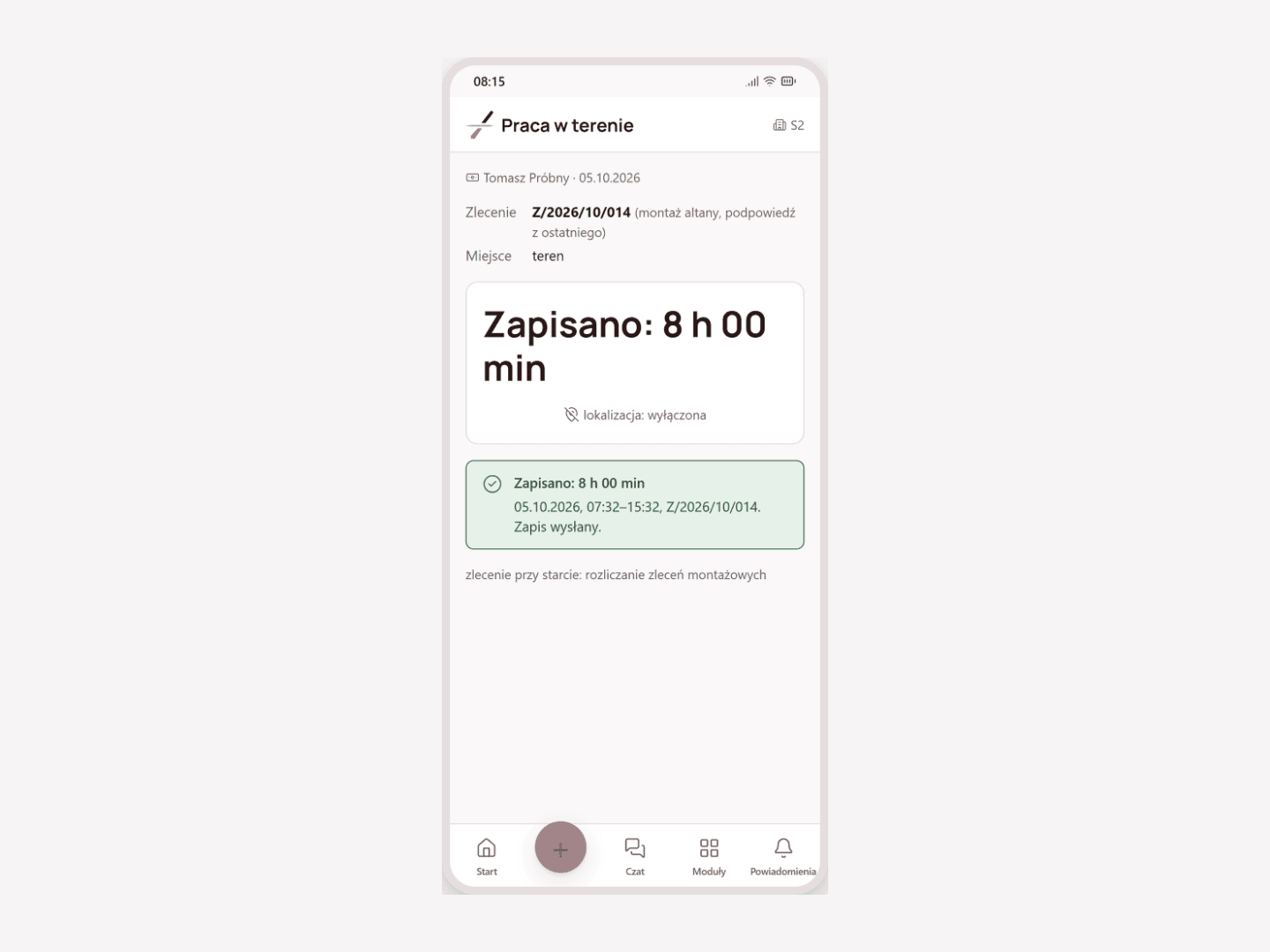
Work Time: records in the field and from a card reader
You know how much time people worked in the field, in production and in the office: an employee starts and ends work with one tap, and you approve the month and pass it on to payroll. You upload card reader entries from a file, the app does not track location, and employees see their time and an estimate of their pay. AI does not issue assessments or compare people.
We implement this module for a limited number of our accounting clients.
Sample data
Control of costs and settlements
Three modules check the money that leaves the company and comes back to it: settlements with external parties, transfer descriptions and cost invoices.
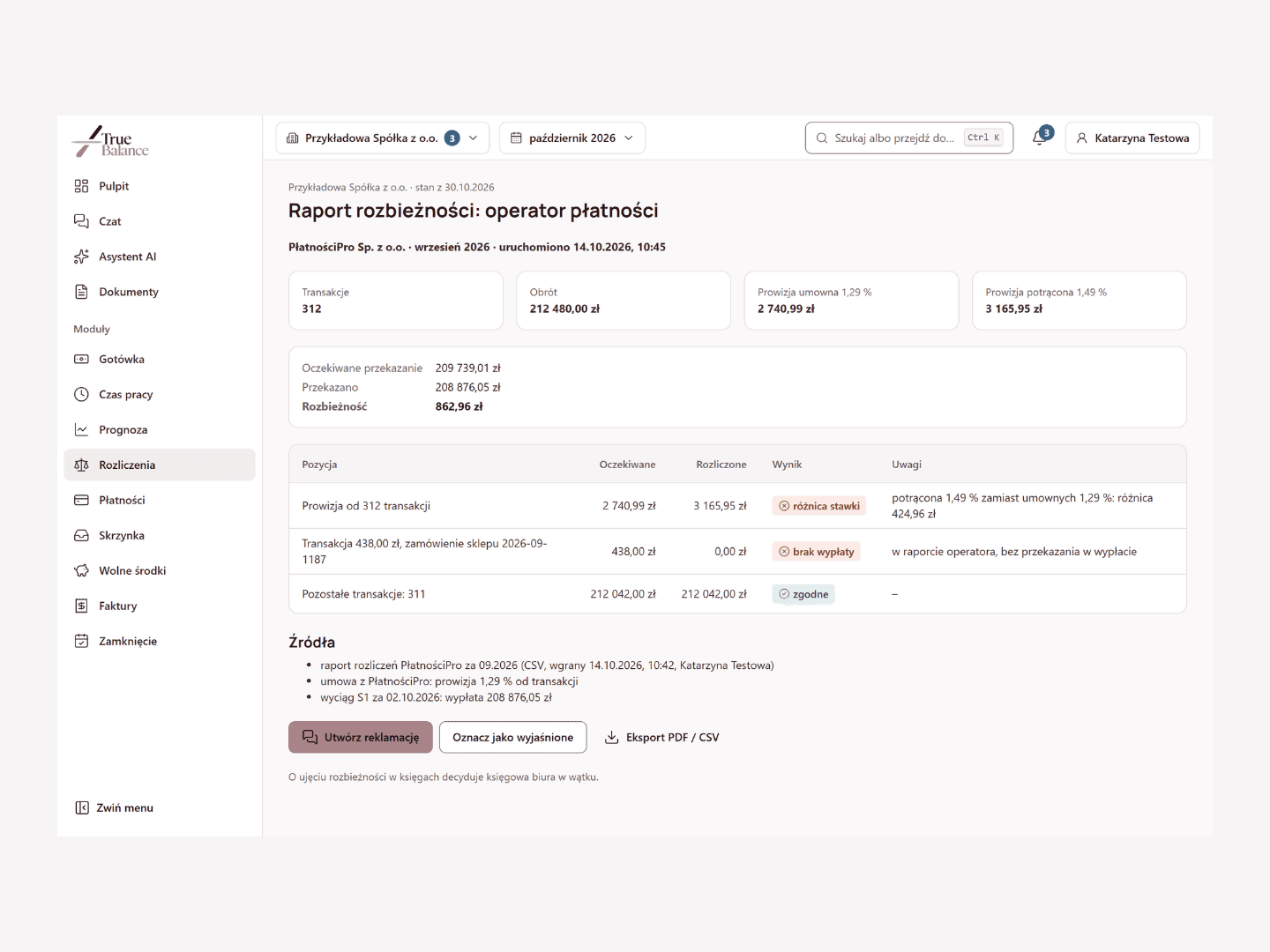
Settlements: checking settlements with payment operators
You know whether a payment operator, sales platform, carrier, lessor or bank has settled with you in line with the contract and the price list; a discrepancy is visible item by item. The module starts with the party that matters most to you: you upload a report, export or schedule as a file, and when there is a discrepancy the module prepares a draft complaint for you to review.
The scope of connections is agreed during implementation.
We implement this module for a limited number of our accounting clients.
Sample data
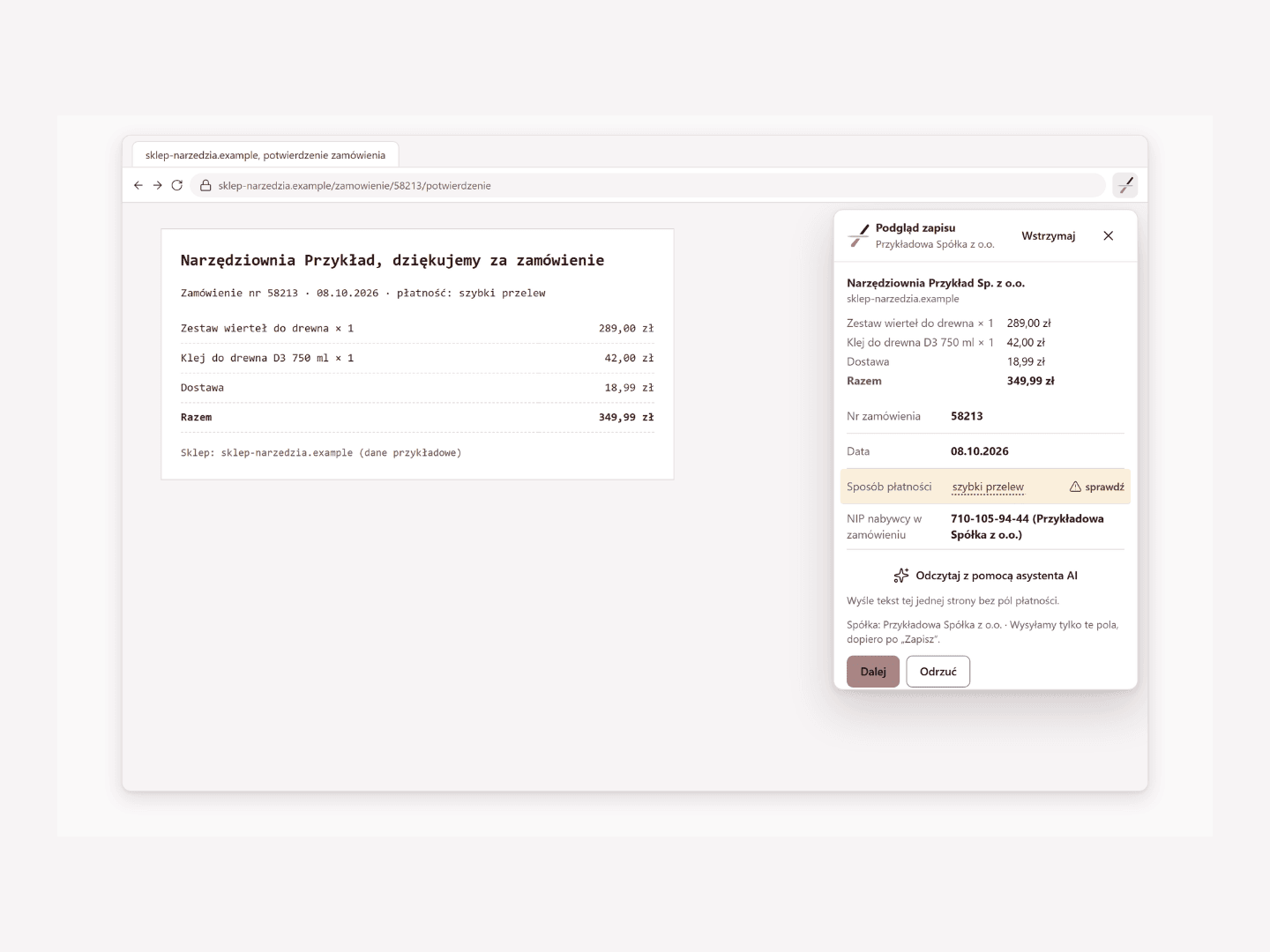
Payments: describing transfers with an unclear title
You know what you paid for, what was in the order and whether the invoice matches it, even when the transfer title says nothing. The order record from the time of purchase waits for the transfer from the statement, and you only need to confirm the match. The browser extension reads the order only after a click, saves it after you approve it and does not collect browsing history.
Transactions come from a bank statement uploaded to the platform; the result of the invoice check goes to the Invoices module. The scope of connections is agreed during implementation.
We implement this module for a limited number of our accounting clients.
Sample data
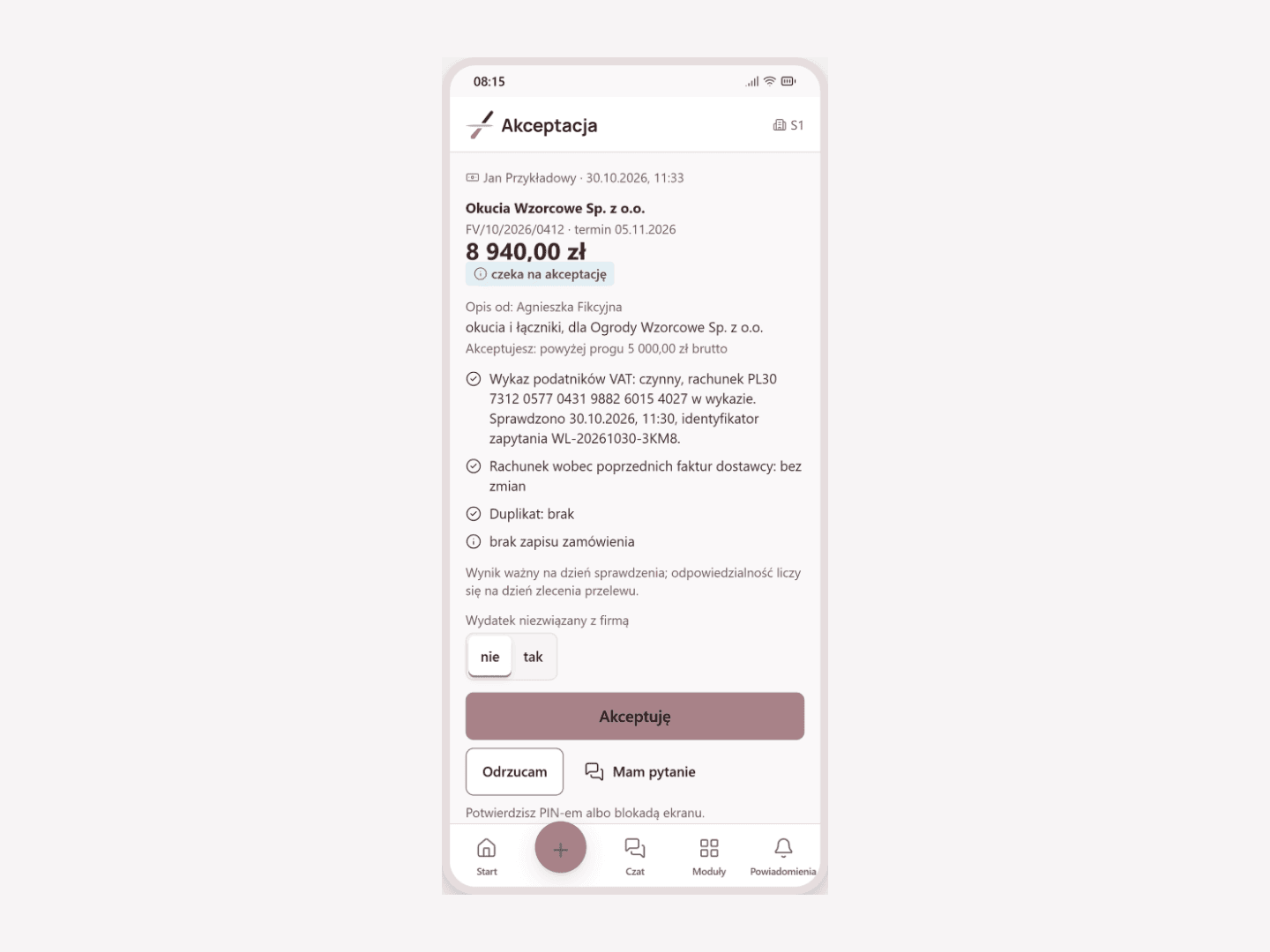
Invoices: describing and approving cost invoices
A cost invoice is described by the person who placed the order and approved by whoever should approve it: on a phone, in one move, and the office immediately sees what is described and approved.
The check against the order works together with the Payments module.
We implement this module for a limited number of our accounting clients.
Sample data
Book a demo or ask about implementation
We implement the platform for a limited number of our accounting clients. We run the demo on sample data.