
True:Inbox. Documents for your accountants
You do not need to remember where to send a receipt, an invoice from an e-mail or a letter: one button on your phone or the company's e-mail address is enough, and the app suggests where the document belongs while a person confirms it. We implement this module for a limited number of our accounting clients.
Four documents, each in its place
True:Inbox is a module of the My True Balance platform for sending documents to your accountants: you pass on a receipt, an invoice from an e-mail, a letter or a question with one button on your phone or to the company's inbox e-mail address, and the app suggests which company they concern and where they go. In the recording (sample data), an employee forwards to the company's inbox address an invoice requested by the accounting office, an accountant at your company confirms its place, a partner photographs a foundation resolution, and the president records a question for the accountant. At the end, the accounting office sees each item in the right company.
What happens in the scene
- e-mail to the company's inbox address
- resolution for the Foundation's documents
- question for the accounting office
What you gain
One button, one address
there is no need to remember where to enter what.
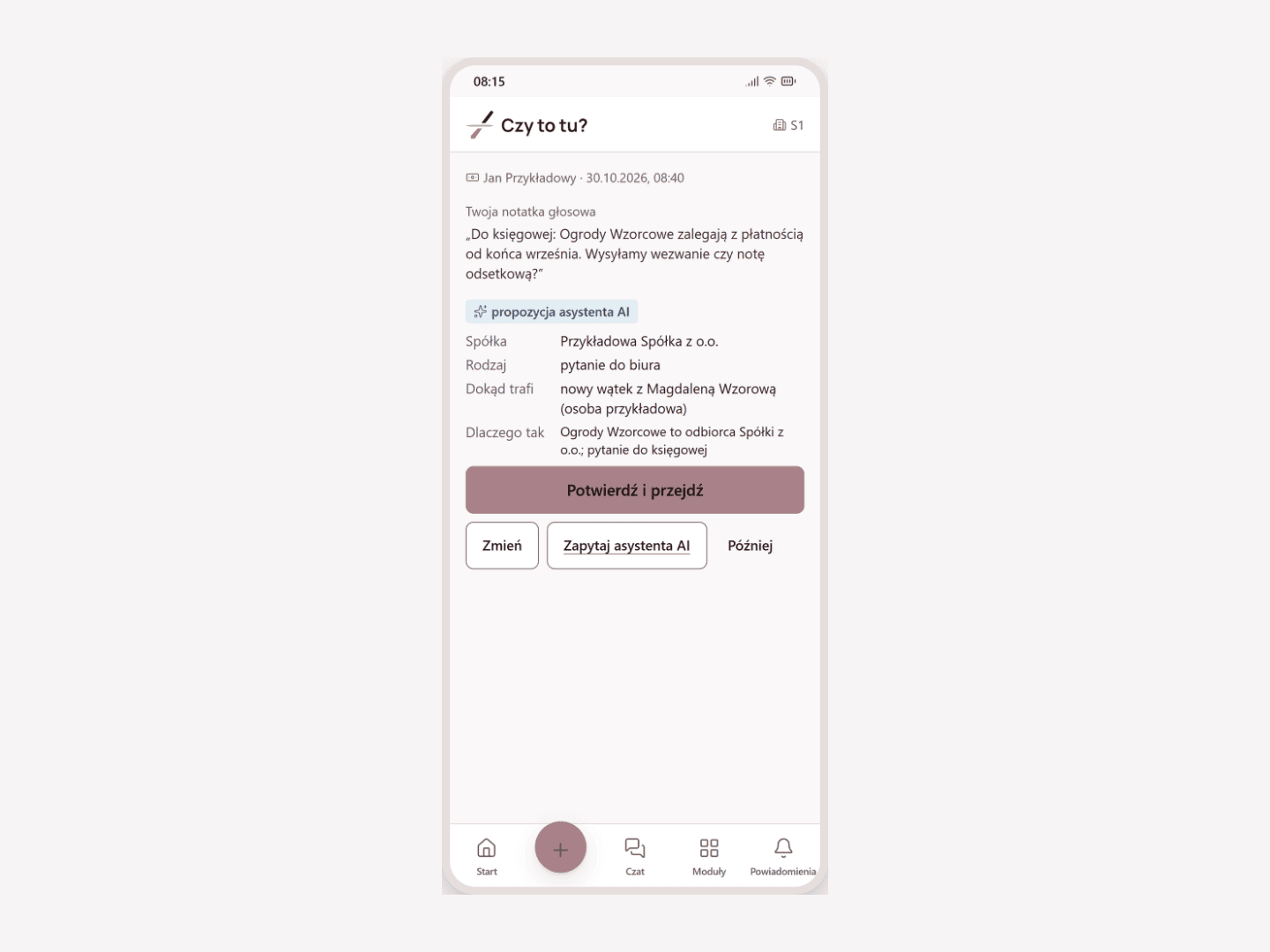
A proposal to confirm
the AI assistant proposes the company, type and place, and a person confirms the entry.
Save first, describe later
the document is saved immediately, even without coverage, and the description can be added later.
A request to the right person
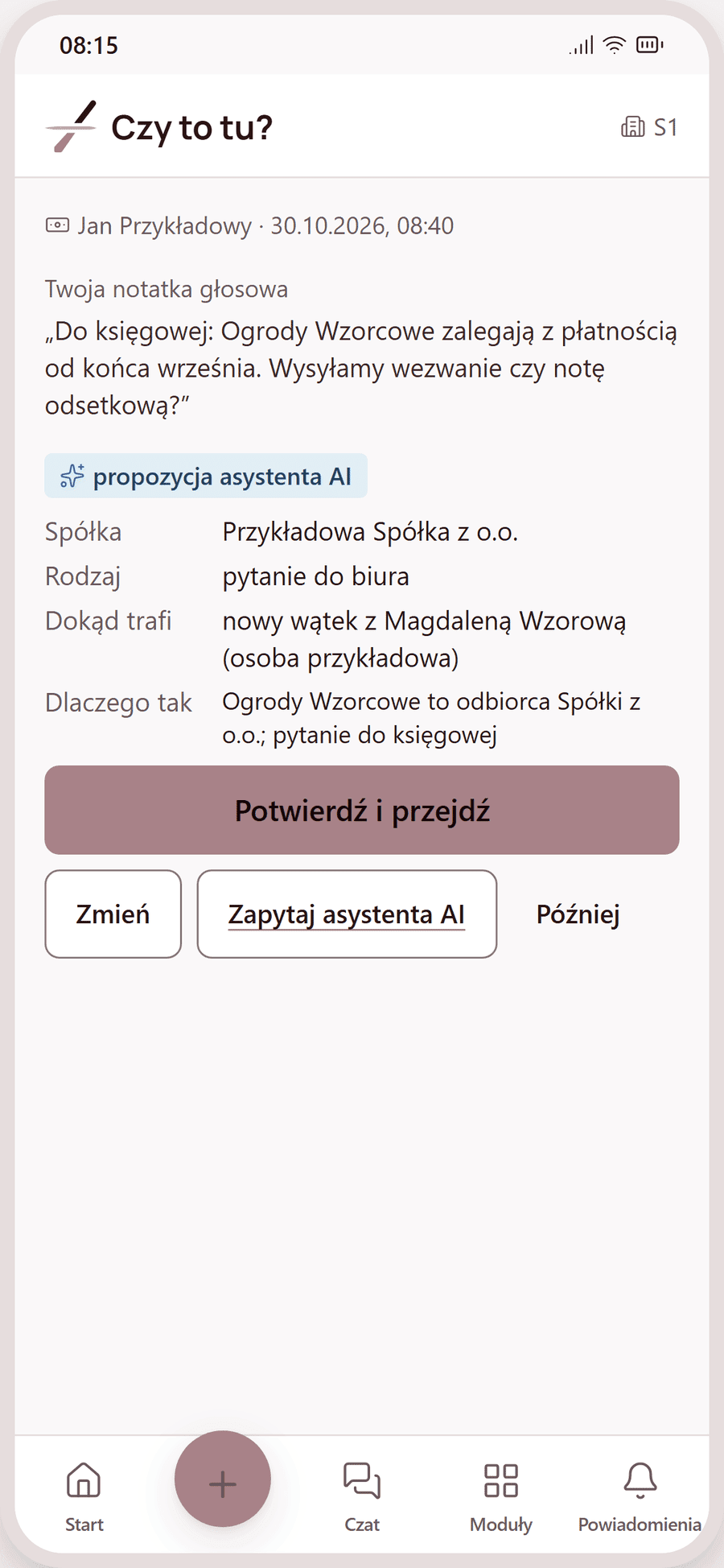
the office's request for a document closes once it is delivered.
Only the author sees the content
only the author sees the content of an item from the phone until they confirm it.
A place proposal confirmed with one tap
A document captured with one button
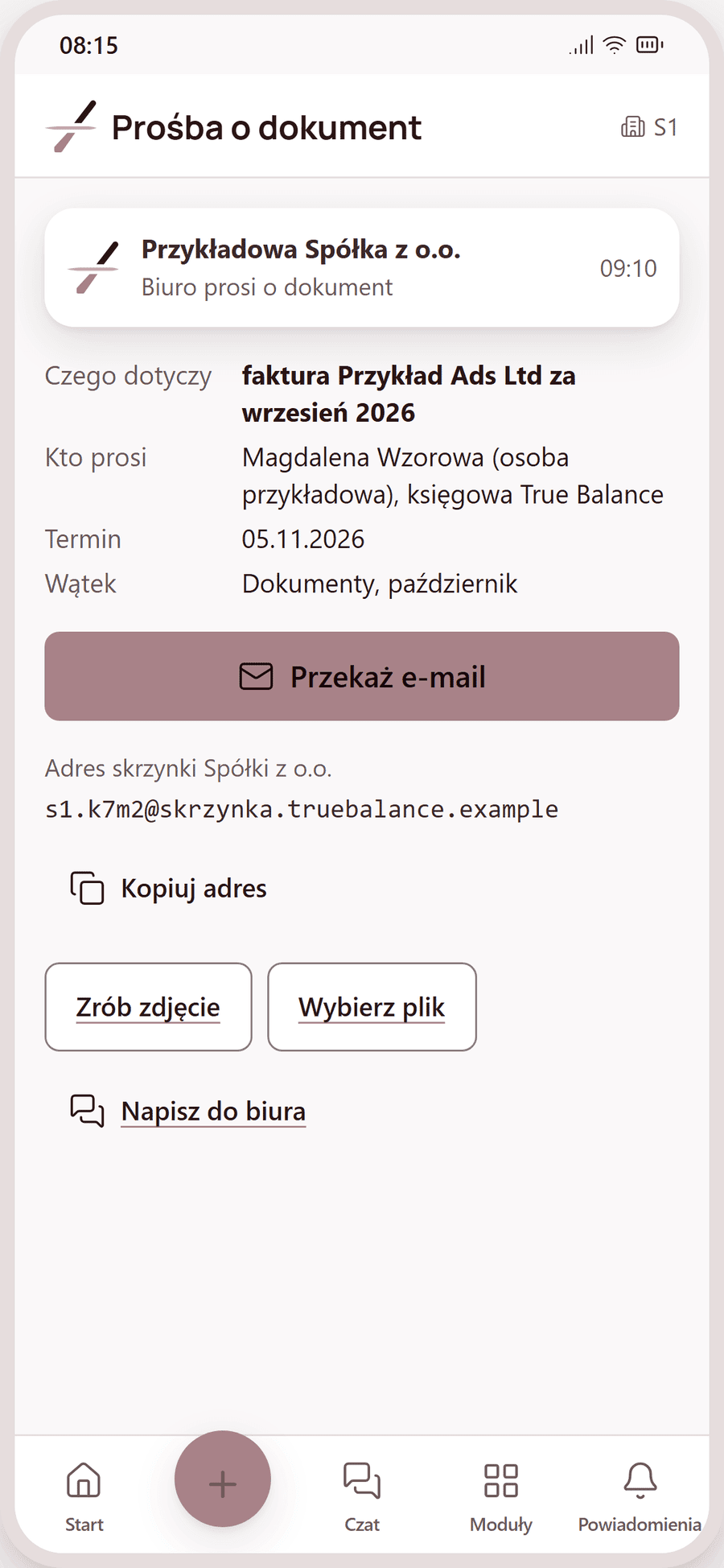
Each company has its own inbox address
The office's request reaches the right person
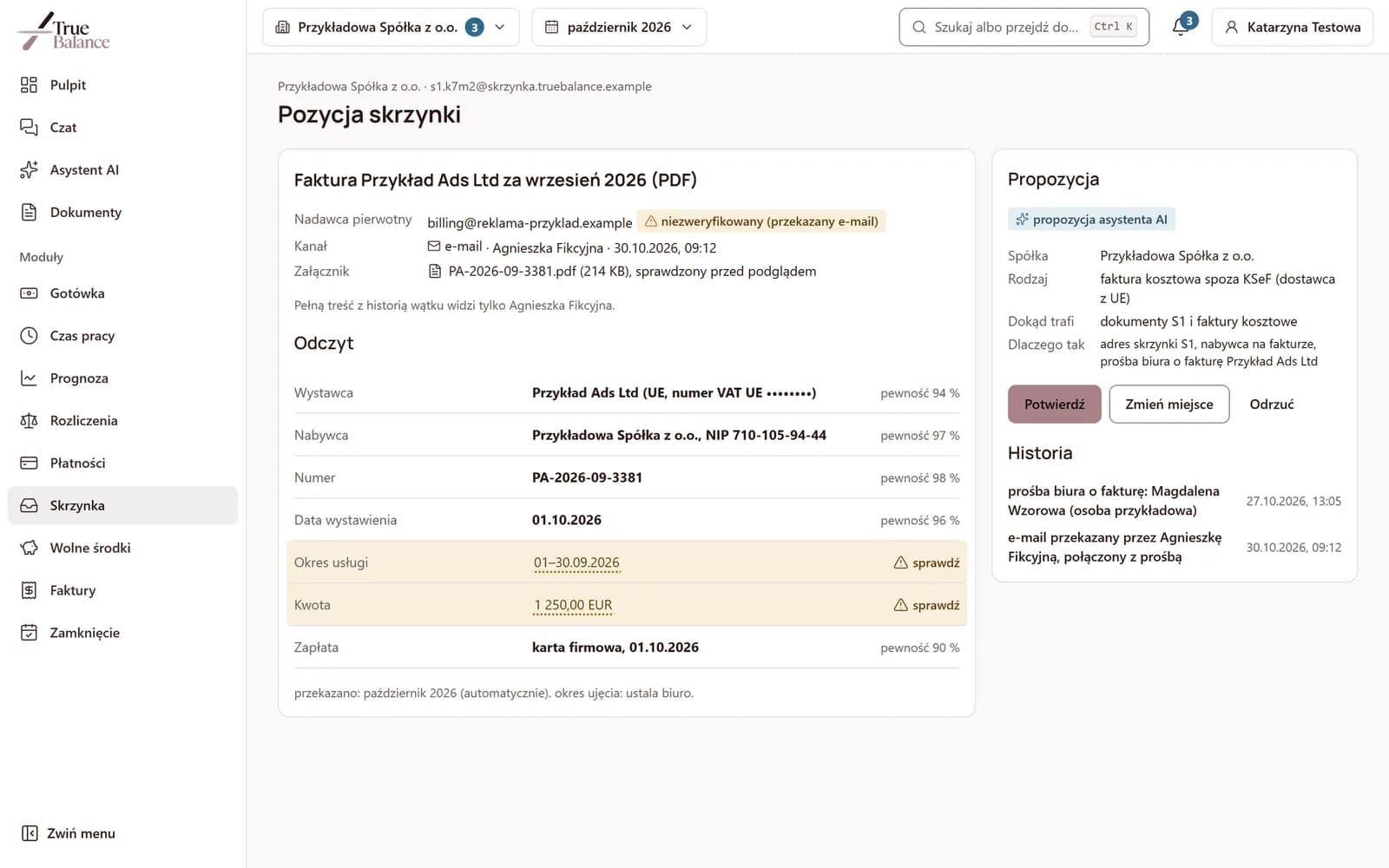
Reading next to the document, uncertain fields highlighted
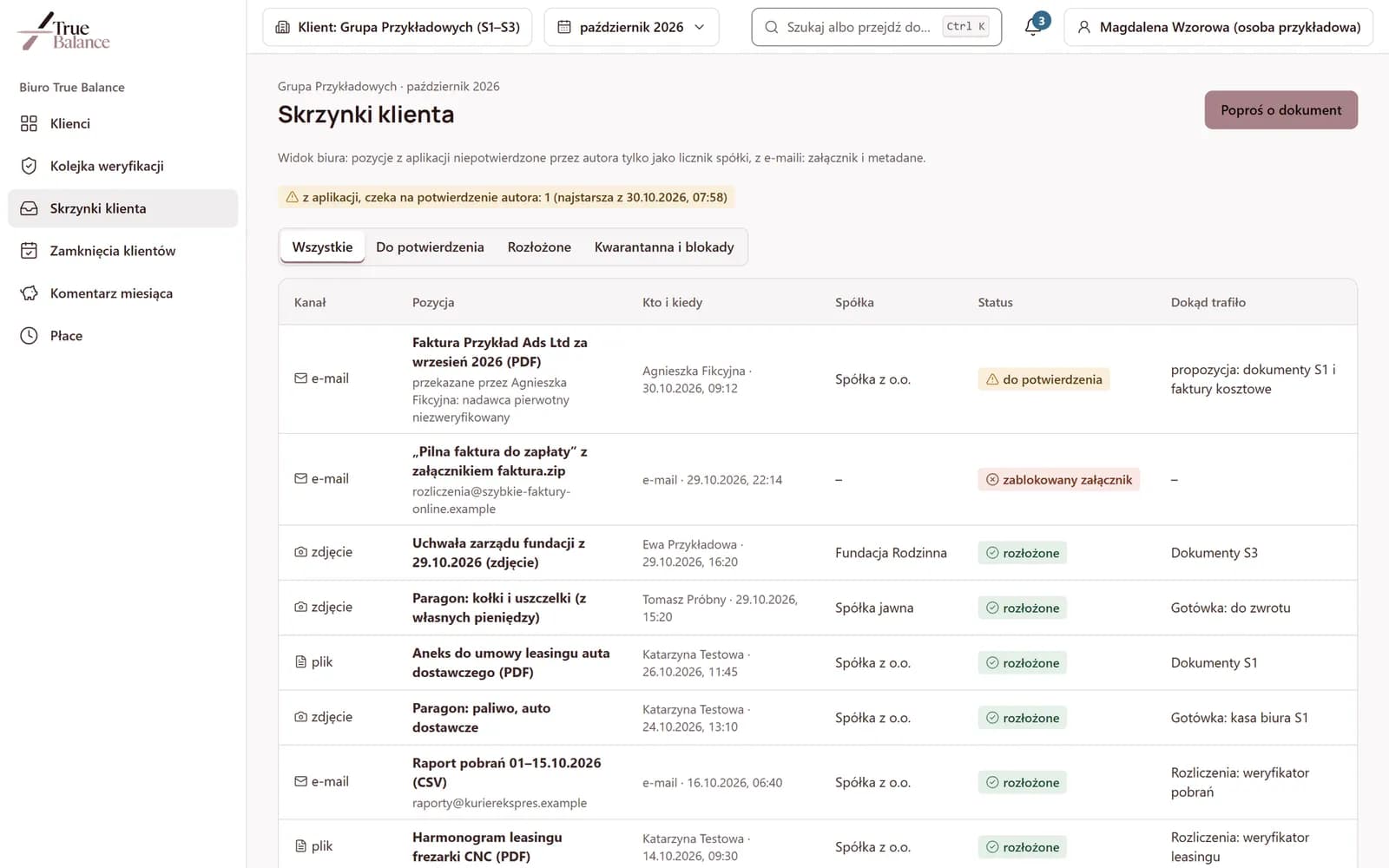
Messages from unknown senders wait in quarantine
With several companies, the document reaches the right one
The accounting office sees what has arrived and where it went
Who the quick inbox is for
The president of several companies
A field employee
The person coordinating documents at the company
- True:Notea recognized order confirmation sent from the phone goes to the True:Note module, when the module is enabled in the company.See more
- True:Invoicea cost invoice, after confirmation, goes to cost invoice approvals, where the person who placed the order describes it.See more
- True:Closethe office's request for a document is an item on the month-end close list and closes when the document reaches its place.See more
Questions about the quick inbox
No. It accepts only messages that someone forwards themselves to the company's inbox address.
Until it is confirmed, only its author sees the content; the person coordinating the inbox and the accounting office do not see the content of the item.
No. The AI assistant proposes the company, document type and place, and a person confirms the entry.
It goes to quarantine and waits for review; executable attachments, those with macros or in an encrypted archive are blocked from preview.
Book a demo or ask about implementation
We implement this module for a limited number of our accounting clients. We run the demo on sample data.