
True:Note. Bank transfer descriptions
You know what you paid for, what was in the order and whether the invoice matches it, even when the transfer title says nothing. We implement this module for a limited number of our accounting clients.
From order through transfer to invoice
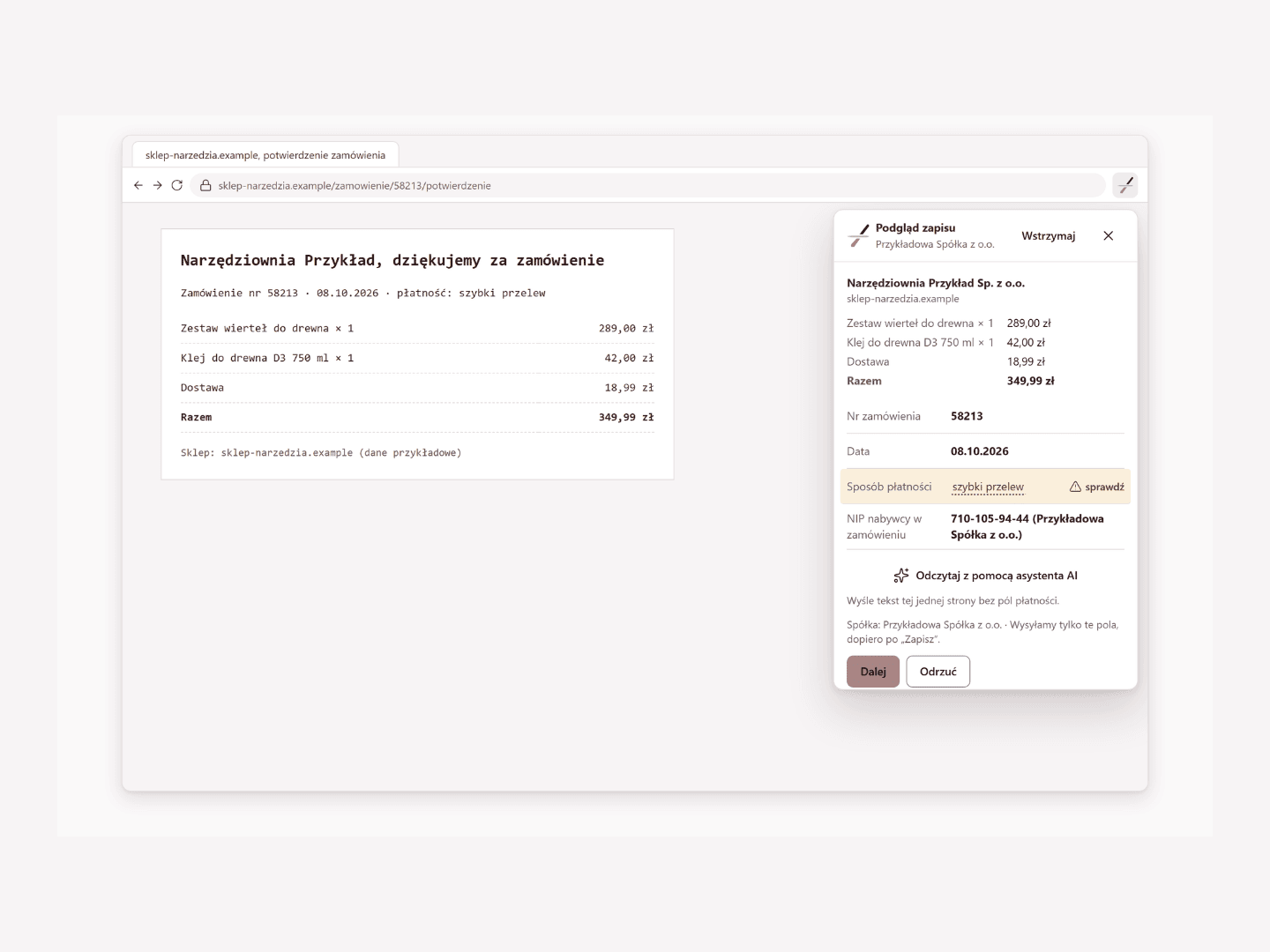
True:Note is a module of the My True Balance platform for describing transfers with an unclear title: the order record made at the time of purchase waits for the transfer from the statement, and you only need to confirm the match. In the recording (sample data), a purchasing employee records an order for PLN 349.99 at the time of purchase, the accountant at your company confirms the match of a transfer with an unclear title, and an invoice with two tubes of glue instead of one shows a discrepancy of PLN 42.00.
What you gain
A description instead of a string of characters
a transfer with a payment gateway title gets a description: what was bought, where and why.
Fewer questions from your accountants
your accountants do not ask about every transfer, because the description and the order items are attached to the transaction.
Discrepancy at once
the difference between the invoice and the order is visible at once, and the request for a correction goes in a thread with your accountants.
Record made at the time of purchase
the record starts with a click on the extension icon at the time of purchase, and the description can follow later, also by voice on the phone.
A person confirms
the match is an explicit rule, and only what you approve reaches the platform.
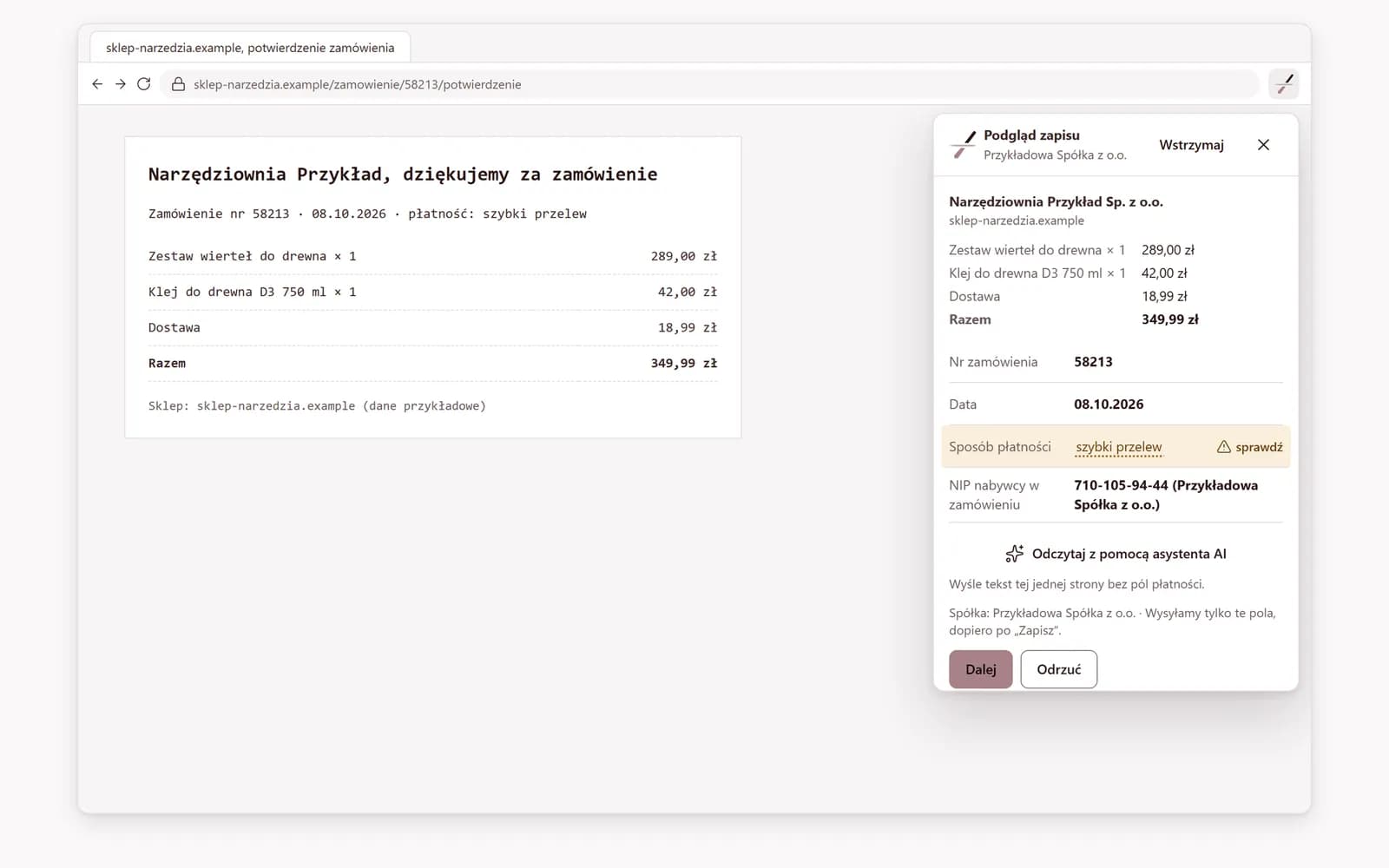
Purchase recorded at the time of purchase
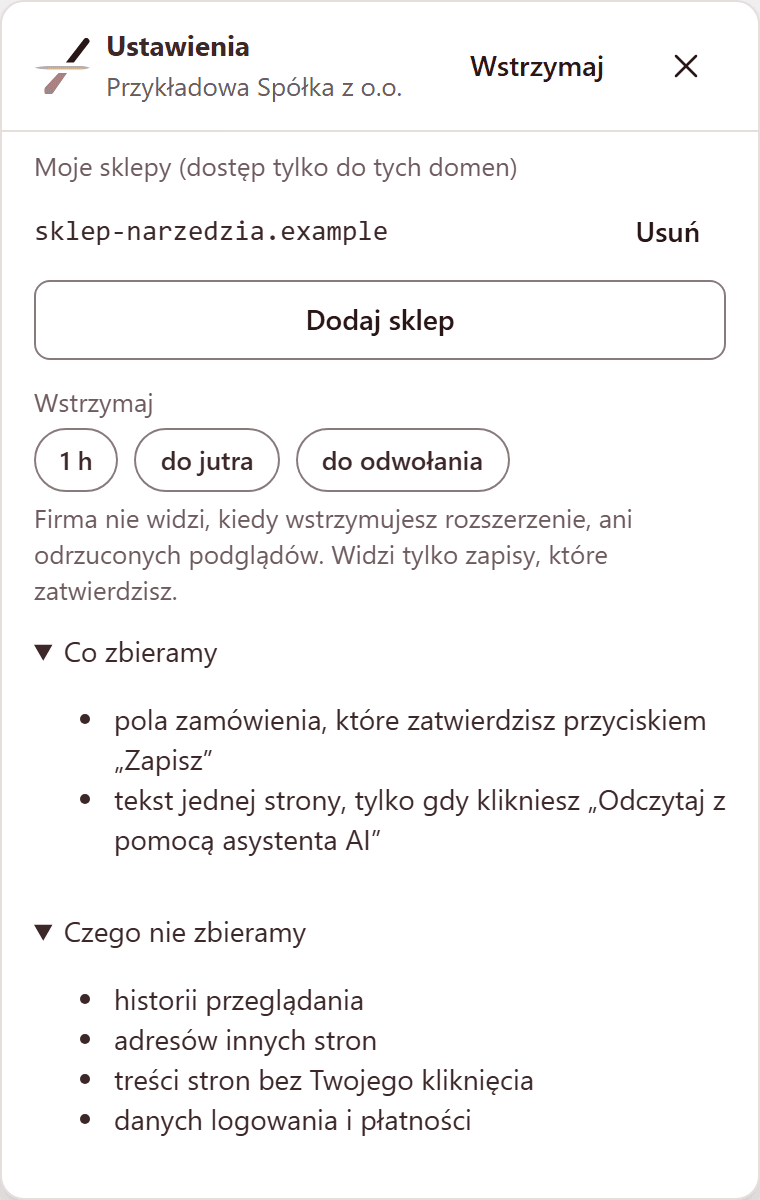
By default, the extension reads the page only after a click
Only an approved record reaches the platform
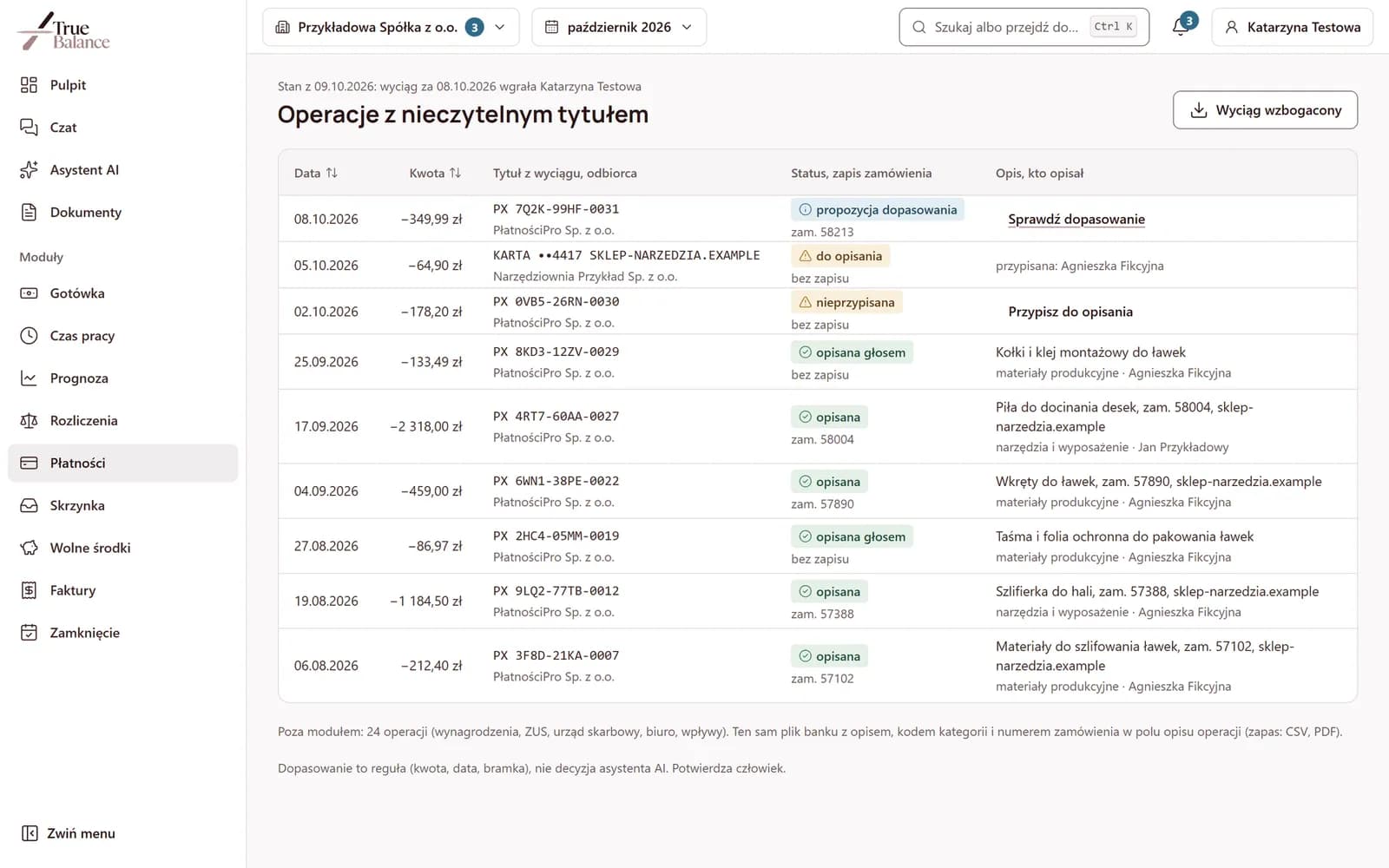
Transfers to describe collected in one view
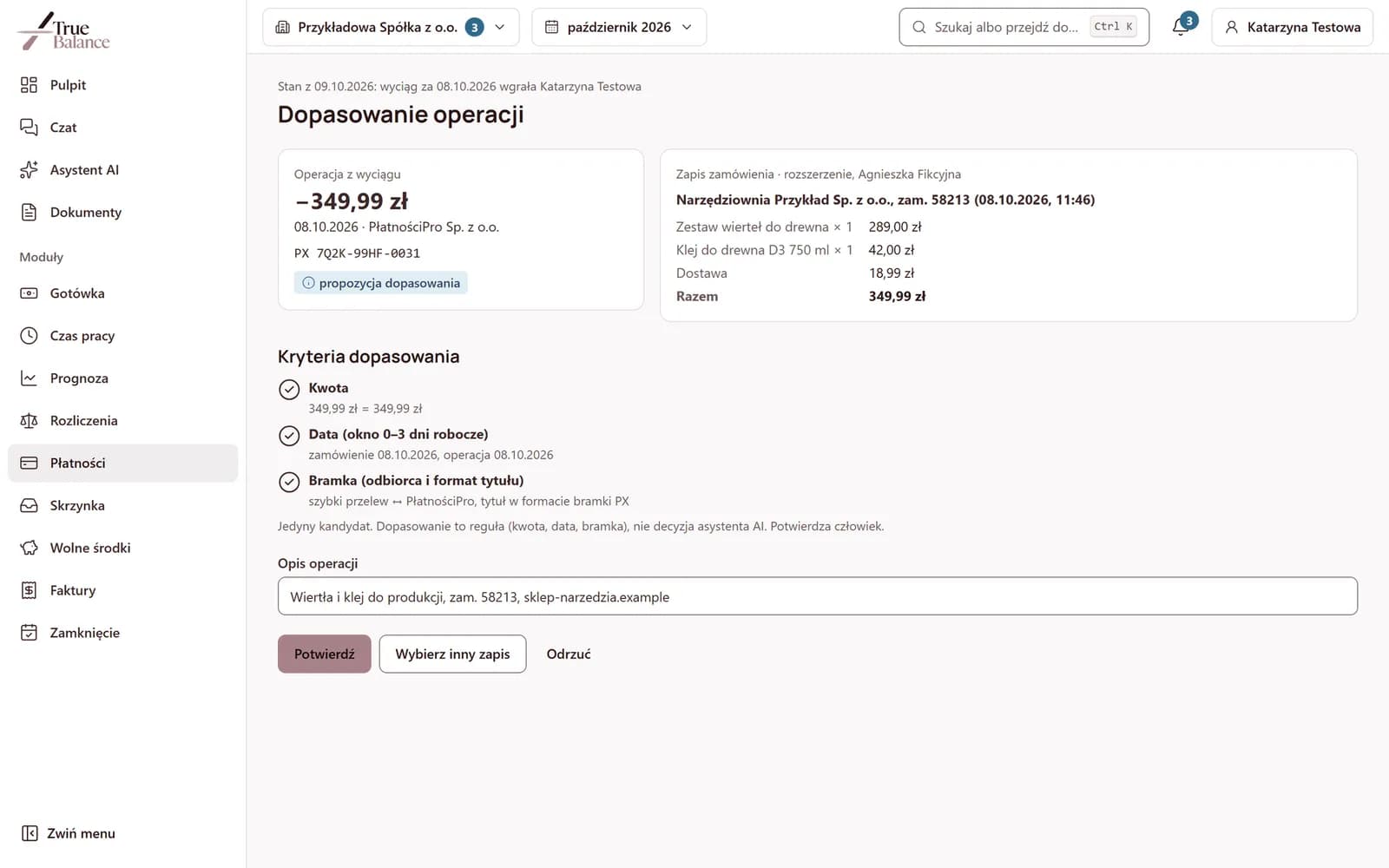
A rule proposes the match, a person confirms
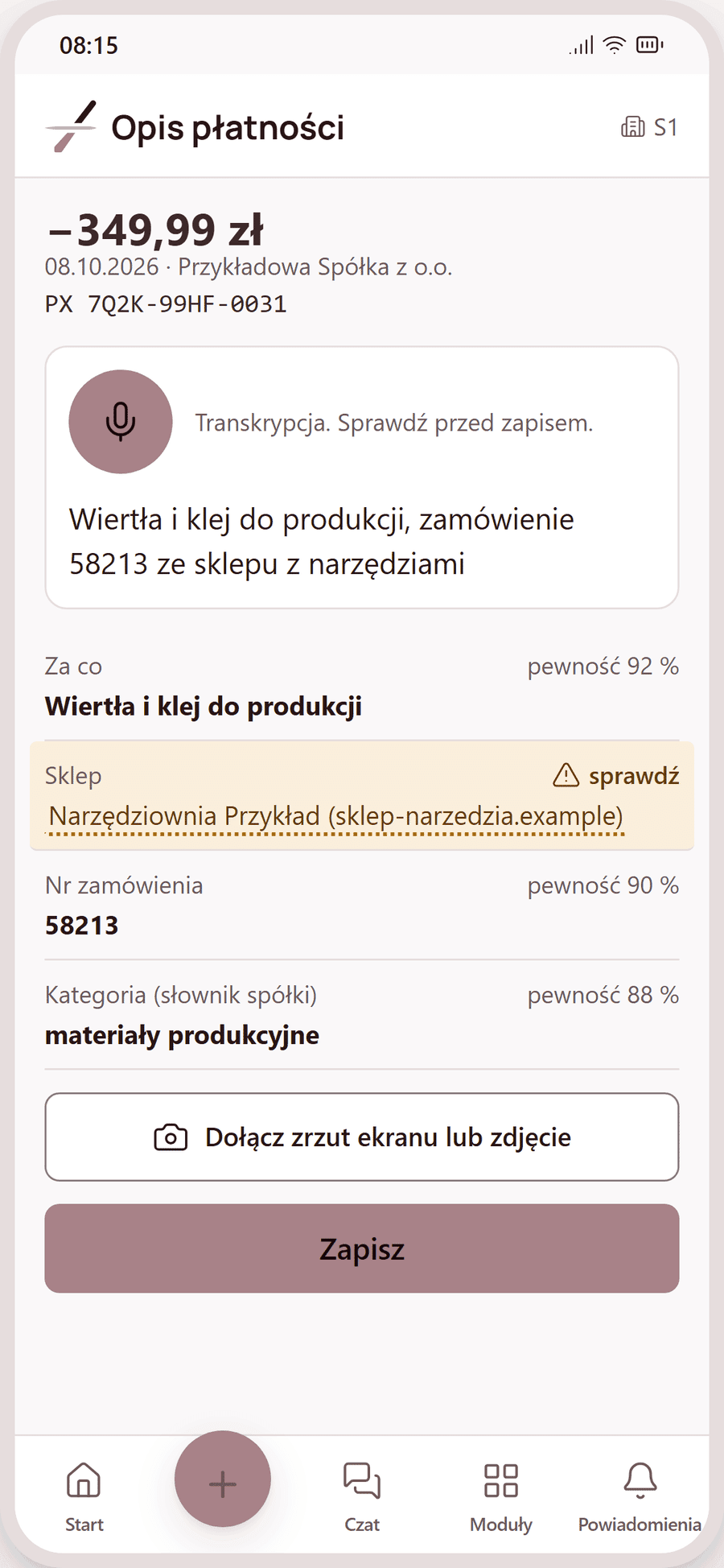
A payment without a record, described by voice on the phone
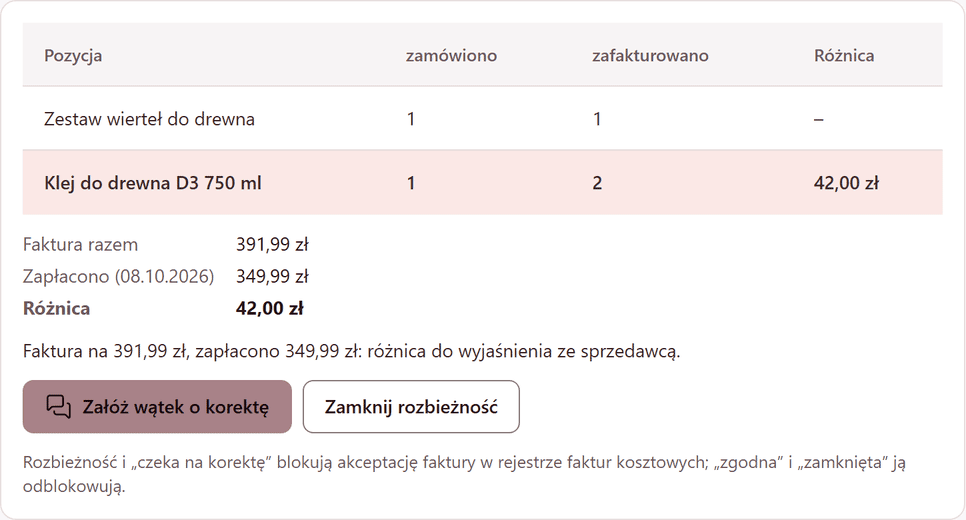
Invoice checked against what was ordered
Your accountants receive descriptions together with transactions
Who the bank transfer descriptions are for
The person making purchases
The accountant at your company
The president
Works together with
- True:Invoicewhen it is enabled, a discrepancy between the invoice and the order suspends approval in the cost invoice approvals until it is corrected or the discrepancy is closed.See more
- True:Inboxa recognized order confirmation sent from the phone to the documents for your accountants goes to this module when the module is enabled in the company.See more
- True:Flowthe same bank statement, uploaded once, feeds this module and the cash forecast, when it is enabled.See more
Questions about the extension and payment descriptions
No. It reads the page on which its icon was clicked, and in stores added to the list by the user, it checks whether the open page is an order confirmation.
The people designated in your company, for example the accountant, and the True Balance office; other people only when required by law or by the security of the service. The extension informs you about this before the first reading.
Only after the icon is clicked and the record is approved. The extension can also be paused, and the company does not see pauses or rejected previews.
Like any extension: in the Chrome browser extension settings. Records approved earlier remain on the company's platform.
It proposes a match based on amount, date and payment gateway, and a person confirms it.
Book a demo or ask about implementation
We implement this module for a limited number of our accounting clients. We run the demo on sample data.